


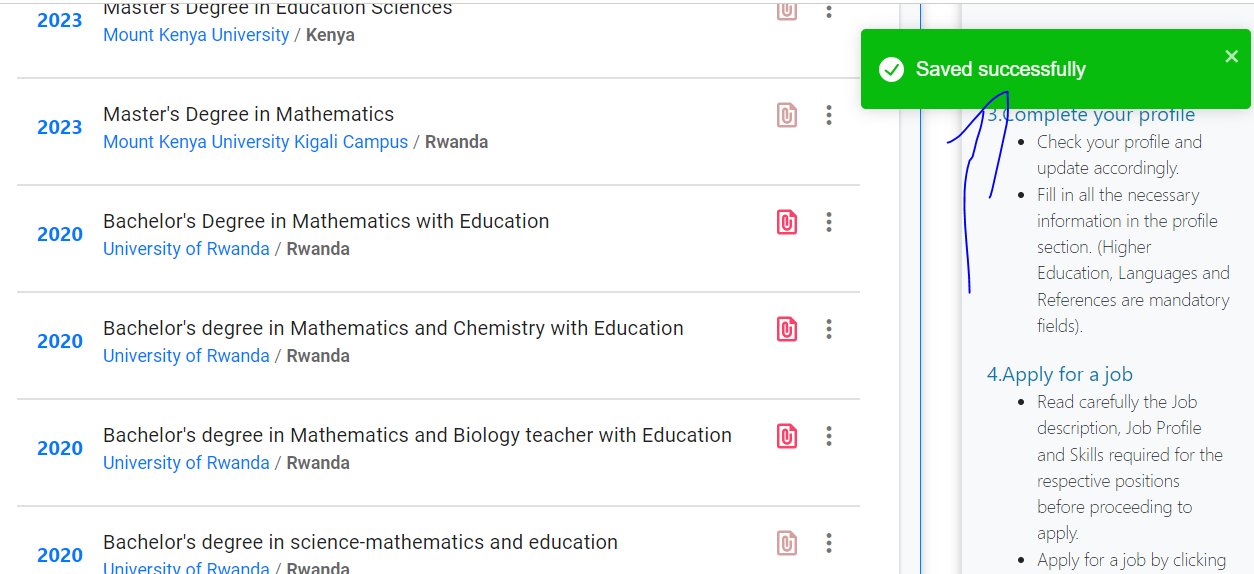
MIFOTRA USER GUIDE: Add New Education,Experience, References, on your account
- CLICK ON LOGIN

2. FILL YOUR USERNAME AND PASSWORD

3. CLICK ON LOGIN

4. CLICK HERE

5. CLICK ON PROFILE

6. MOVE DOWN TO Education background AND CLICK ON ADD NEW

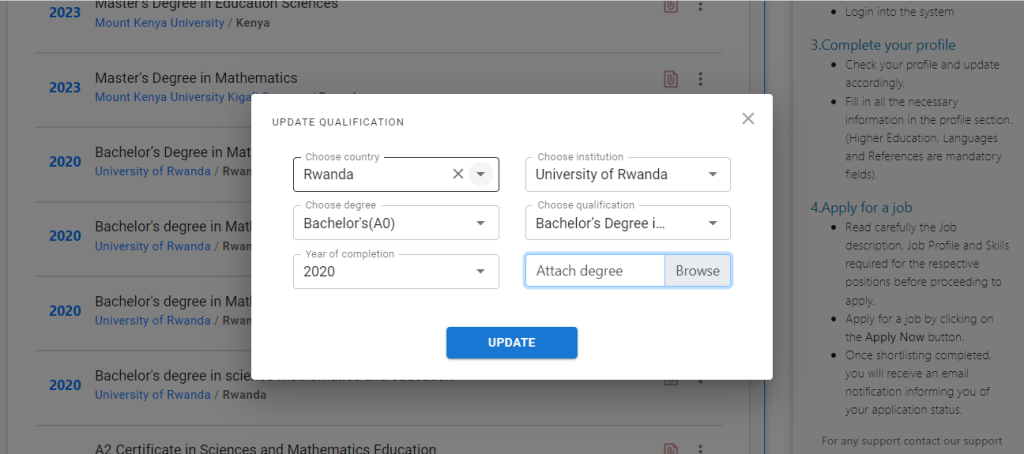
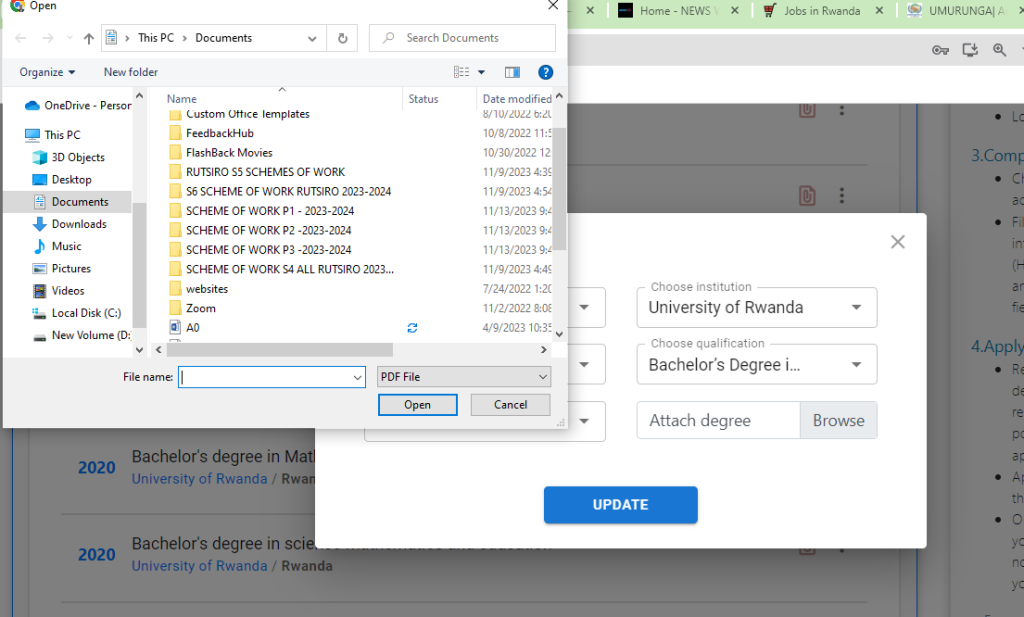
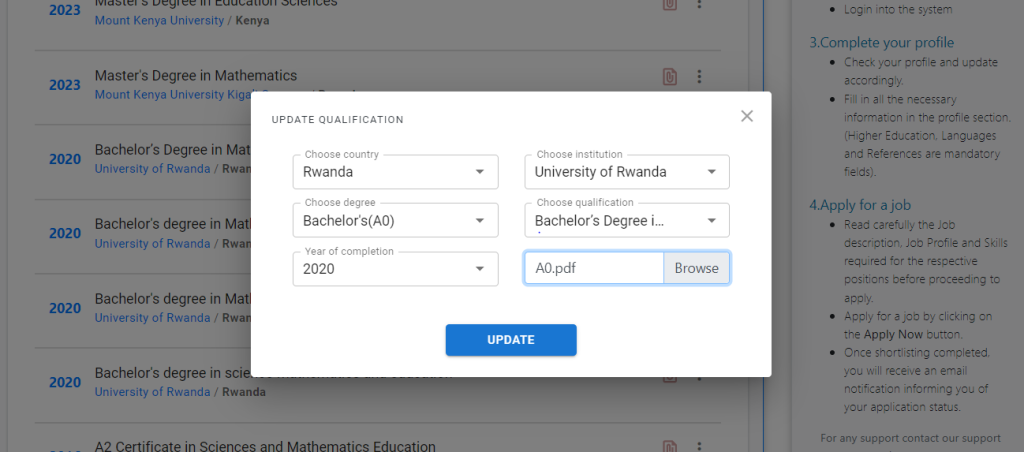
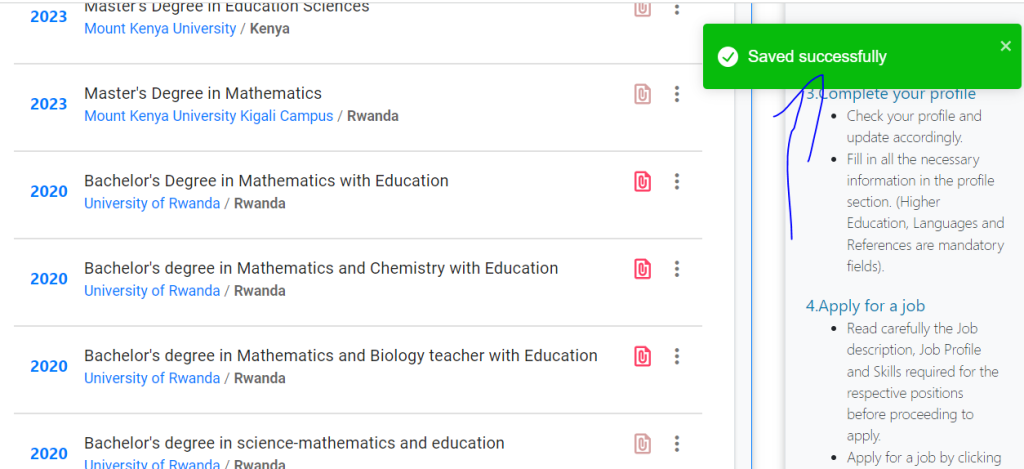
7. FILL REQUIRED INFORMATION AND CLICK ON SAVE

8.
.
.
.
9. MOVE DOWN TO Work experience AND CLICK ON ADD NEW